


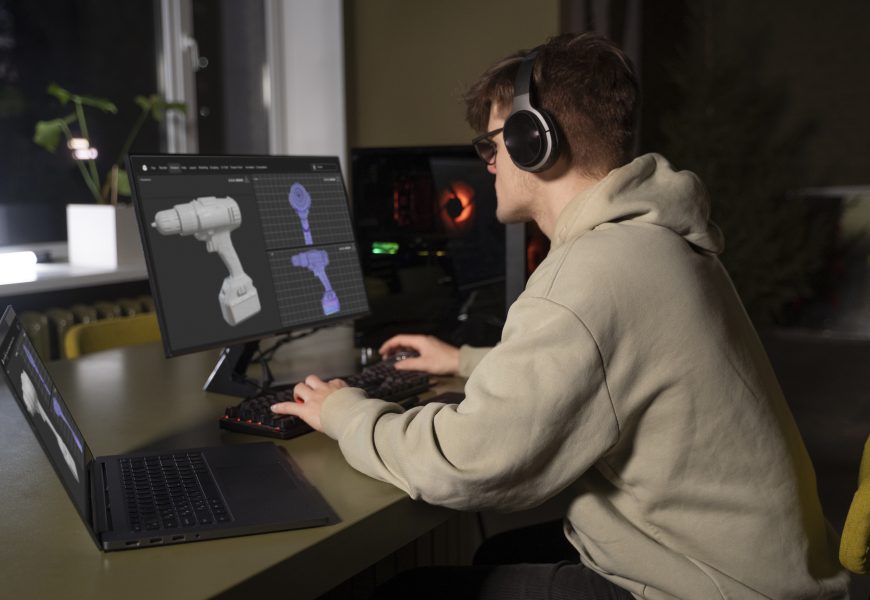
Blender is the best 3D modeling software for most beginners in 2027. It is free, has plenty of learning help, and lets you model, sculpt, animate, and render in one place. Maya costs money and can feel heavy at first, but studios use it widely for rigging and character work. Want to learn without spending? Start with Blender. Aiming for a studio job in animation or VFX? Add Maya soon after. Both are strong, so your goal decides the order.
Picking your first 3D tool feels harder than it should. Blender and Maya both produce great work, yet they suit different people. One is free and open to everyone, while the other is a paid tool used in many big studio pipelines.
In this blog, we compare both on cost, learning curve, modeling, animation, VFX, hardware, and career value. By the end, you will know which one to open first and why.
Table of Content
What Is the Difference Between Blender and Maya?
Is Blender or Maya Better for Beginners in 2027?
Blender vs Maya: Features, Pricing and Learning Curve Compared
Which 3D Modeling Software Is Easier to Learn?
Blender vs Maya for 3D Modeling: Tools, Workflows and Capabilities
Blender vs Maya for 3D Animation: Which Is Better?
Blender vs Maya for VFX, Film Production and Game Development
What Computer Specifications Do Blender and Maya Require?
Can You Learn Professional 3D Modeling Using Free Software?
Which Software Should You Learn First for a Career in 3D Design?
Final Takeaway: Should Beginners Choose Blender or Maya in 2027?
FAQs
What Is the Difference Between Blender and Maya?
Here is a quick side-by-side look at both tools.
|
Point |
Blender | Maya |
| Cost | Free and open source |
Paid subscription |
|
Made by |
Blender Foundation and community | Autodesk |
| Best known for | All-round 3D work |
Rigging and character animation |
|
Rendering |
Cycles and EEVEE | Arnold |
| Platforms | Windows, Mac, Linux |
Windows, Mac, Linux |
|
Common users |
Freelancers, indie teams | Large studios |
| Scripting | Python |
MEL and Python |
|
Native files |
.blend |
.ma and .mb |
In simple words, Blender is a complete toolbox you can start using today without paying anything. Maya is a specialist tool that studios trust for animation work, and Maya 3D software is built around studio teamwork. That is the heart of Blender vs Maya.
Is Blender or Maya Better for Beginners in 2027?
Blender is the better first pick for most beginners, though your goal still matters.
- Cost: Blender is free, so you can practice every day without paying. Maya needs a subscription, which is hard to justify before you know if 3D is for you.
- Help: Thousands of free tutorials and active forums answer beginner questions fast, so you rarely stay stuck for long.
- All-in-one: You can model, sculpt, animate, and render without extra apps, which keeps your first projects simple.
- Career goal: If you already want a studio role, Maya becomes useful sooner, since many job tests ask for it.
As a first 3D modeling software, Blender is easier on your wallet and your patience. Skills like topology and UV mapping carry over to Maya later.
Blender vs Maya: Features, Pricing and Learning Curve Compared
Here is how the two tools compare on the things beginners ask about most.
- Price: Blender is free, even for business use. Maya needs a paid subscription, though students can often get a free education license.
- Features: Blender covers modeling, sculpting, animation, and video editing. Maya focuses on animation, rigging, and effects, with deep tools for each.
- Interface: Blender is clean but shortcut-heavy. Maya has more menus and feels busier, which can confuse you in the first few weeks.
- Learning curve: Blender is quicker to pick up. Maya takes longer but rewards you in rigging and character setup.
- Rendering: Blender gives you Cycles and EEVEE without extra cost. Maya comes with Arnold, which is popular in film work.
On cost alone, Blender vs Maya is a one-sided match. For rigging depth, Maya 3D software leads. Neither is bad, so the right pick depends on your budget and your goal.
Which 3D Modeling Software Is Easier to Learn?
Ease of learning depends on how much help you can find and how busy the interface feels.
- Learning help: Blender has loads of free courses and forums, so answers are easy to find. Maya has good lessons too, but fewer free ones.
- Interface: Blender’s shortcuts feel odd for a week or two, then they save time. Maya’s menus run deep, and finding one tool can take time.
- Starting point: Many Maya lessons assume you know basic 3D terms. Blender lessons often start from zero, which suits a true beginner.
For a first 3D modeling software, most people find Blender friendlier. Maya asks for more patience. Give yourself a few weeks with either one before judging it.
Blender vs Maya for 3D Modeling: Tools, Workflows and Capabilities
Both tools can build clean, production-ready models, but they approach the job differently.
- Polygon modeling: Both handle it well, and Blender’s tools feel quick for beginners who want to see results early.
- Sculpting: Blender has a built-in sculpt mode that works well for characters and creatures, and you do not need a plugin for it.
- Procedural work: Blender’s geometry nodes let you build shapes with rules instead of by hand. This saves time on repeating shapes like fences, stairs, or rocks.
- Hard-surface work: Maya has solid NURBS tools and a steady workflow for hard-surface meshes, such as vehicles and machines.
For freelance work and a pure 3D modeling software choice, Blender gives you more freedom for less money. Clean topology matters more than the tool, so learn edge flow early.
Blender vs Maya for 3D Animation: Which Is Better?
In a fair Blender vs Maya animation test, Maya leads in studios. Most Maya 3D animation pipelines are built around its rigging and graph editor. Blender is still a fine choice if you work alone or want to make short films and 2D-style scenes.
|
Area |
Blender | Maya |
| Character rigging | Good, and improving each year |
Studio favorite |
|
Animation tools |
Graph editor, shape keys, NLA | Graph editor, animation layers, deep controls |
|
2D animation |
Grease Pencil built in |
Needs other tools |
| Best for | Solo artists, small teams |
Large studio pipelines |
Studios prefer Maya partly out of habit and partly because of its tools. Their rigs, scripts, and training were built around it over many years, so switching is costly.
Blender vs Maya for VFX, Film Production and Game Development
Many film houses still hire artists trained in Maya 3D animation and rigging. Game teams use both tools, so the better choice often depends on the studio you want to join. Check job posts and match your practice to the tools they list.
|
Area |
Blender | Maya |
| VFX and film | Growing, used by smaller studios |
Common in large film and VFX houses |
|
Pipeline fit |
Works with FBX, Alembic and USD | Works closely with Houdini, Nuke and Arnold |
| Games | Popular for indie games and assets |
Often used by bigger game studios |
|
Game engines |
Exports to Unity and Unreal |
Exports to Unity and Unreal |
Film work also needs shared files. Both tools can export FBX, Alembic, and USD, so moving a model between them is possible, though native files do not open directly.
What Computer Specifications Do Blender and Maya Require?
Blender runs well on modest hardware. Plan for 8 GB RAM at minimum, though 16 GB feels comfortable. A quad-core processor and a graphics card with 4 GB of memory work fine for learning. You do not need a high-end workstation to begin.
Autodesk also lists 8 GB RAM as the minimum for Maya, but 16 GB or more is better. A fast SSD helps with big scenes. Maya 3D software feels smoother on a stronger machine, especially with complex rigs. If your laptop is older, start with Blender and upgrade later.
Can You Learn Professional 3D Modeling Using Free Software?
Yes. Blender is used by real studios, freelancers, and online creators, and you can sell work made in it. Many professionals built their first portfolios with free tools before paying for anything, and clients care about the final result more than the software name.
Practice matters more than price. A free 3D modeling software can still teach lighting, texturing and clean topology. Finish three to five projects, then ask mentors for honest feedback.
Which Software Should You Learn First for a Career in 3D Design?
For a studio role, start with Blender for the basics, then add Maya 3D software once you feel confident. This keeps costs low and still prepares you for job tests that ask for Maya. Pipeline knowledge, like rigging and lighting, matters more than the tool name.
A guided path helps. The Diploma in 3D Animation & VFX at AAFT Online is a one-year program with 54 modules, 14 projects, and 270+ learning hours. It covers Blender, Maya, rigging, FX, and Maya 3D animation, with NSDC and CII certification and placement support.
Final Takeaway: Should Beginners Choose Blender or Maya in 2027?
For beginners in 2027, Blender is the smarter first pick because it is free, friendly, and complete. Blender vs Maya is really a question of timing, so learn Blender first and add Maya when your goals point to a studio pipeline.
If character work excites you, spend time on Maya 3D animation once your basics are solid. Finish one project, then let your portfolio guide your next step. Small, finished work always teaches more than ten half-done ones.
FAQs
1. Is Blender completely free for commercial use?
Yes. Blender is released under the GNU General Public License, so you can use it for personal, freelance, and commercial projects without fees or royalties. You keep the rights to the work you create, including models, animations, and games you sell to clients or publish online.
2. Is Maya difficult to learn for someone with no 3D experience?
Maya feels tough at first because of its many menus and technical terms. With a structured course, short daily practice, and small projects, most beginners get comfortable within a few months. Start with basic navigation and simple modeling before moving to rigging and animation.
3. Can I get a 3D modelling job by learning Blender alone?
You can, especially for freelance, indie game, and product visualization roles. Studios judge your portfolio first. Still, many larger studios list Maya in job posts, so adding it later gives you more options. Strong projects matter more than the tool name.
4. Do animation studios prefer Maya over Blender?
Many big animation and VFX studios still prefer Maya because their pipelines, scripts and rigs were built around it. Smaller studios and indie teams use Blender more each year. The best approach is to check job posts at your target studio and match their tools.
5. Can Blender and Maya open the same 3D file formats?
Both work with common formats such as FBX, OBJ, Alembic, and USD, so you can move models between them. They cannot open each other’s native files directly, though. Blender uses .blend files, while Maya uses .ma and .mb files. Export to FBX for the easiest transfer.
6. Is Blender good for creating 3D characters for games?
Yes. Blender handles sculpting, retopology, UV mapping, texturing, rigging, and animation, which covers the full character pipeline. You can export characters as FBX or glTF files into Unity or Unreal Engine. Many indie developers build complete game characters using only Blender.
7. Should I learn 3D modelling before learning animation?
Yes, it helps. Modeling teaches you shapes, proportions, and clean topology, which make rigging and animation much easier later. A messy model often breaks during animation. Spend a few months on basic modeling first, then move on to rigging and simple movement exercises.
8. What is the difference between 3D modelling, rigging and rendering?
Modelling builds the shape of an object or character. Rigging adds a digital skeleton and controls so the model can move. Rendering turns the finished scene, with lights and materials, into the final image or video. Each step depends on the one before it.
9. Can beginners switch from Blender to Maya later?
Yes, and it is quite common. Core ideas like vertices, UV maps, rigs, keyframes, and lighting stay the same in both tools. You mainly need to relearn the interface and shortcuts. Most learners adapt within a few weeks of regular practice.



















Comments (0)