


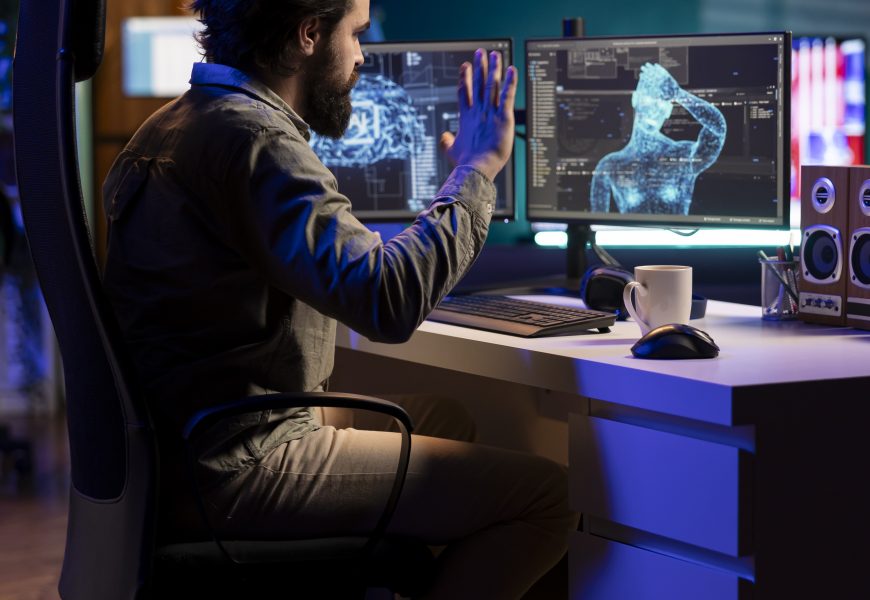
Animation has always been a craft that rewards patience, but the tools around it are changing fast. Studios expect artists to move quicker and iterate more, while still delivering work that feels handcrafted. That balance is where new software is stepping in, taking over repetitive groundwork so more energy goes into storytelling.
In this blog, we will walk through how the industry is shifting, the specific skills professionals should focus on this year, how an animation creator AI workflow fits into normal production, and what beginners can do to start learning. We will also look at the ethical questions this shift raises and answer common questions students often ask.
Table of Content
- How AI Is Changing the Animation Industry
- What AI Skills Should Animation Professionals Learn in 2026?
- How Animation Creators Can Use AI in Their Workflow
- AI Tools Animation Professionals Should Know in 2026
- Essential AI Animation Skills for Different Roles
- AI Animation Generator vs Traditional Animation Workflow
- Will AI Replace Animation Professionals?
- How to Build AI Animation Skills as a Beginner
- Ethical and Creative Challenges of AI in Animation
- Final Take: Where Animation Talent Meets AI Tools
- FAQs
- 1. What AI skills should an animator learn in 2026?
- 2. Can AI animation generators create complete animated videos?
- 3. Do professional animators need to learn AI?
- 4. How can AI help reduce animation production time?
- 5. Can AI help 3D animators with character movement and motion?
- 6. Will AI reduce job opportunities for animators in the future?
How AI Is Changing the Animation Industry
Studios use smart software at almost every stage of production now. Concept art that once took days can be roughed out in hours, giving directors more options early on. Motion capture clean-up, which used to eat up huge amounts of time, is now partly automated, freeing artists to focus on performance.
Background and environment work has also sped up, with AI for animations tools generating base layouts that artists then refine by hand. None of this replaces trained animators; it simply clears out the repetitive parts of the job so more time goes into the choices that actually shape a story.
What AI Skills Should Animation Professionals Learn in 2026?
Building a strong AI animation skill set starts with a few core areas that studios now expect artists to be comfortable with:
- Prompt-based generation, since many tools respond to written descriptions rather than manual input alone. Knowing how to guide a tool toward a specific look, rather than accepting the first result, is becoming a core studio skill.
- Basic data literacy, since trend tools increasingly shape early creative decisions.
- Strong fundamentals in 3D software, since new tools work best when paired with a solid grasp of movement, weight, and timing.
Together, these skills let an animator direct a tool with intent instead of simply accepting whatever it produces first.
How Animation Creators Can Use AI in Their Workflow
An animation creator AI workflow usually starts at the concept stage, where quick visual drafts help pitch an idea before production begins. From there, artists can use these tools for rough in-betweening, background generation, or testing different art styles on a character.
This does not remove the artist from the process; it just moves them into more of a director’s role earlier on. Reviewing and refining generated drafts becomes part of the daily workflow, sitting alongside traditional keyframing and rigging work.
AI Tools Animation Professionals Should Know in 2026
A handful of tool categories are now common across studios:
- Generative image and video tools that turn text prompts into rough concept frames or clips.
- 3D scene and character generators that build base models animators can refine further.
- Motion clean-up software that smooths out captured movement automatically.
- Style transfer tools that apply a consistent visual look across a project.
Any strong AI animations generator tool still needs a trained eye behind it, since raw output usually needs cleanup before it fits into a finished production.
Essential AI Animation Skills for Different Roles
Different roles in a studio lean on these tools in different ways:
- 2D animators benefit most from tools that speed up in-between and colour work.
- 3D animators get more value from motion clean-up and rigging assistance.
- Character designers often lean on generative tools during early concept exploration, testing many looks before settling on a final design.
- VFX artists tend to use these tools for background plates and rough compositing tests, saving detailed hand work for the final pass.
Whatever the role, the underlying AI animation skill that matters most is knowing when to trust the tool and when to override it.
AI Animation Generator vs Traditional Animation Workflow
Here is a quick side-by-side look at how the two approaches compare on the things that matter most in production:
| Aspect | AI Animation Generator | Traditional Animation Workflow |
| Speed | Rough drafts in minutes | Frame-by-framework takes hours or days |
| Consistency | Can vary between generations | Fully controlled by the animator |
| Cost | Lower cost for early concepts | Higher cost due to labour and time |
| Creative control | Assists, needs human refinement | Entirely driven by the artist’s vision |
| Best use | Concept drafts, rough motion, backgrounds | Final character performance and detail |
Choosing an AI animations generator over traditional methods usually depends on the stage of production, since early concepts favour speed while final shots still need a trained hand.
Will AI Replace Animation Professionals?
It is unlikely for skilled animators. These tools speed up repetitive tasks like rough motion or background generation, but they cannot replicate a trained eye for timing and emotion, which is what makes a character feel alive on screen.
What is more likely is that studios will expect animators to work alongside these tools, using AI for animations to move faster through early stages while still owning the final creative decisions. Animators who build this comfort now are likely to have an edge over those who avoid it.
How to Build AI Animation Skills as a Beginner
Getting started does not require jumping straight into software; it helps to build up in stages:
- Start with the fundamentals first, since no tool can substitute for a real understanding of movement, timing, and anatomy.
- Once those basics feel solid, try an animation creator AI tool to see what a rough draft looks like.
- Build a working AI animation skill by pushing that draft further by hand, rather than accepting it as finished work.
- Work through small personal projects to build a portfolio that shows both traditional craft and comfort with new software.
Ethical and Creative Challenges of AI in Animation
Using generated content raises real questions about originality, since tools are often trained on existing artwork without clear consent from creators. Studios and freelancers need to think carefully about where reference material comes from and how it is used.
There is also a creative risk in leaning too heavily on an AI animations generator for drafts, since output can start to look similar across projects if artists do not push it in their own direction. The strongest animators treat these tools as a starting point, not a replacement for their own decisions.
Final Take: Where Animation Talent Meets AI Tools
AI is not here to take over animation; it is here to remove the repetitive parts of the job, so more energy goes into the choices that make a story land. Learning to work alongside AI for animations, whether through a quick animation creator AI draft or a full production pipeline, is quickly becoming a normal part of building a career in this field.
If you want a strong foundation in both traditional craft and modern tools, AAFT Online’s Diploma in Animation and VFX offers hands-on training designed to keep you ready for wherever the industry goes next.
Frequently Asked Questions
1. What AI skills should an animator learn in 2026?
Animators should focus on prompt-based generation, basic data literacy for trend tools, and staying strong in core fundamentals like timing and movement. Building a solid AI animation skill set alongside these newer tools tends to matter most, since studios expect artists to blend traditional craft with faster, modern ways of working.
2. Can AI animation generators create complete animated videos?
Not fully. An AI animations generator can produce rough clips or concept motion quickly, but a finished video still needs human refinement for consistency, timing, and emotional detail. Most studios use generated output as an early draft rather than a final product ready for release.
3. Do professional animators need to learn AI?
Yes, having working knowledge of AI for animations is becoming a real advantage in studios. They speed up early concept work and repetitive tasks, freeing up time for detailed creative work. Animators who understand both traditional techniques and modern tools tend to stand out in a competitive job market.
4. How can AI help reduce animation production time?
These tools speed up early concept art, background generation, and motion clean-up, all of which used to take significant manual time. This lets studios move from idea to rough draft much faster, leaving more time for the detailed, hands-on work that shapes a scene’s final quality.
5. Can AI help 3D animators with character movement and motion?
Yes, motion clean-up tools can smooth out captured movement and suggest adjustments to weight and timing. This does not replace an animator’s judgement, but it removes some repetitive correction work, letting 3D animators spend more time on performance and expression instead of basic fixes.
6. Will AI reduce job opportunities for animators in the future?
It is unlikely to reduce demand for skilled animators, though it may change day-to-day tasks. Repetitive work is likely to shrink, while roles that need creative judgement and a trained eye are expected to stay in steady demand across studios.





















Comments (0)